

The new feature provides to change the styles of all the texts in your site
Thanks to this innovation, you will be able to manage the styles of the texts from a single window by assigning the font, color and size. So much easier to unify the same styles of text, discovering, for example, which erroneously have been included with the colors, fonts and sizes different from those desired.
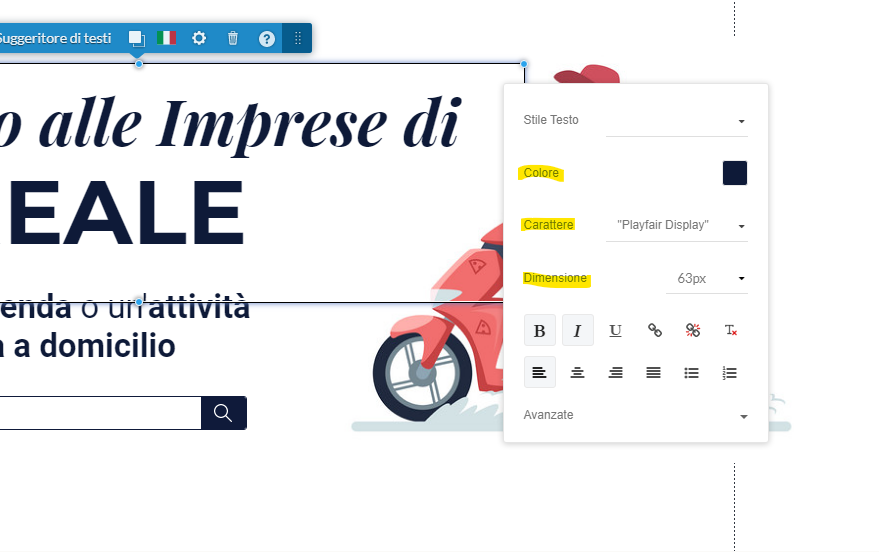
1) Enter the Text
Insert the Text component available in the AppStore to the left of the editor. Edit how do you like the font, the color, the size , and it will be automatically created a style by assigning the three characteristics.
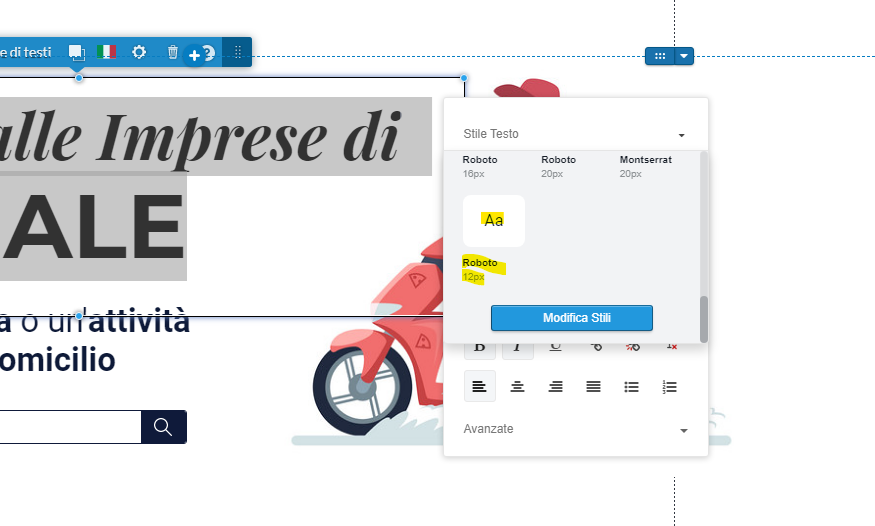
2) Choose the Style of Text
Click on the Text Style from the window and you will be able to choose the styles that you have created previously. The previews keep you informed of the color (not the code), the font and the size in px.
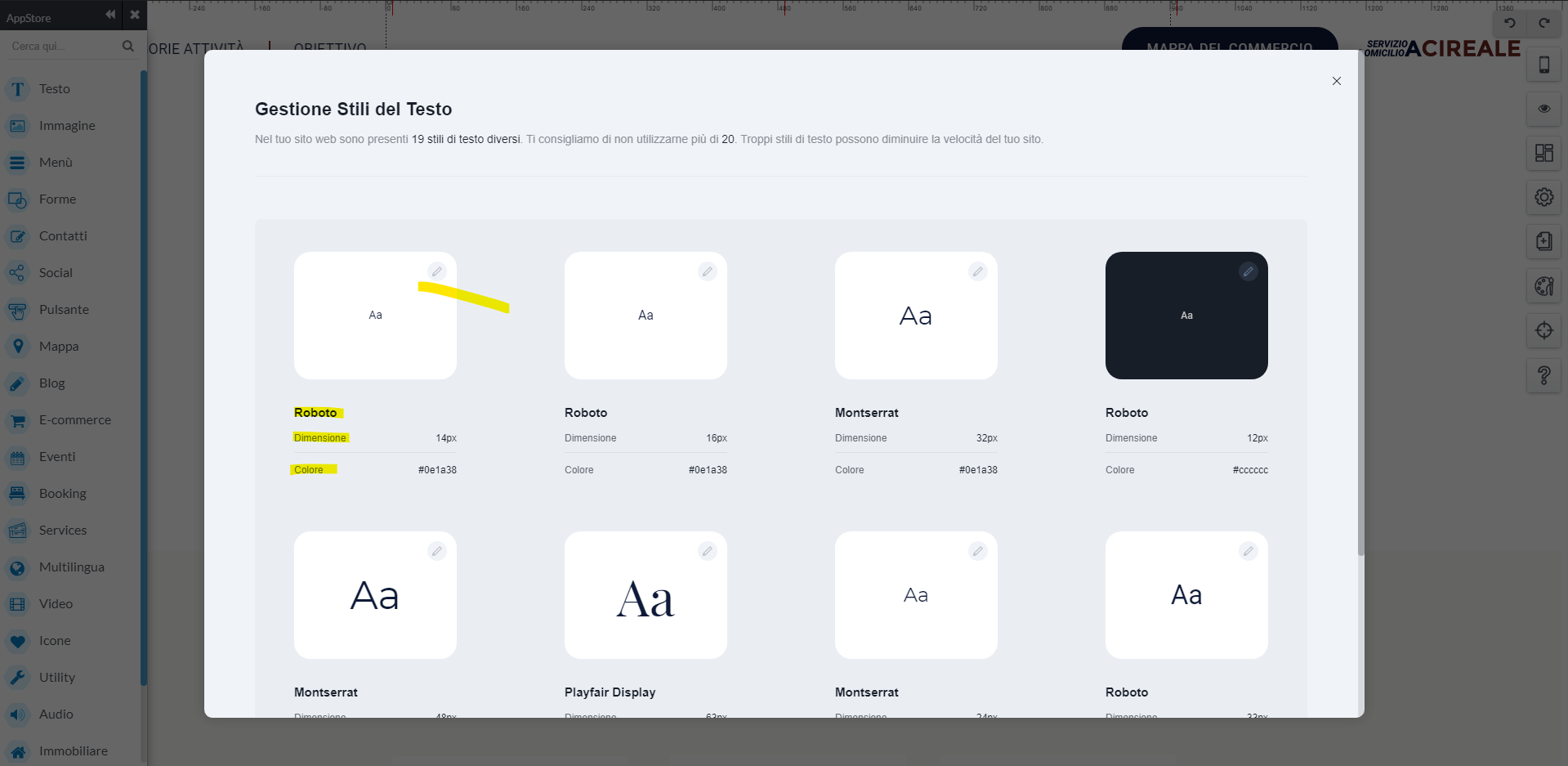
3) Change the Style of Text
Click on the button at the bottom of the "Edit Styles" for the customization of Styles. On the "pencil" icon, you can change the color, font, and size. Remember that your changes will update all text of that style.
We recommend that you choose no more than 20 styles of text to make browsing faster for your website