

Update the Password of your Email created on Cosito.it
Changing your password is a basic rule to protect your mailbox. Once you have changed your password, we recommend that you immediately write it down in a safe place so you don't forget it.
For security reasons it is not recommended to always use the same password for all accounts . On the contrary, passwords should be changed regularly and meet the security provisions: only then are your accounts sufficiently protected against hacker attacks.
Here we will explain how to change the password of your emails created on Cosito.it.
Changing the password of your emails on Cosito.it step by step
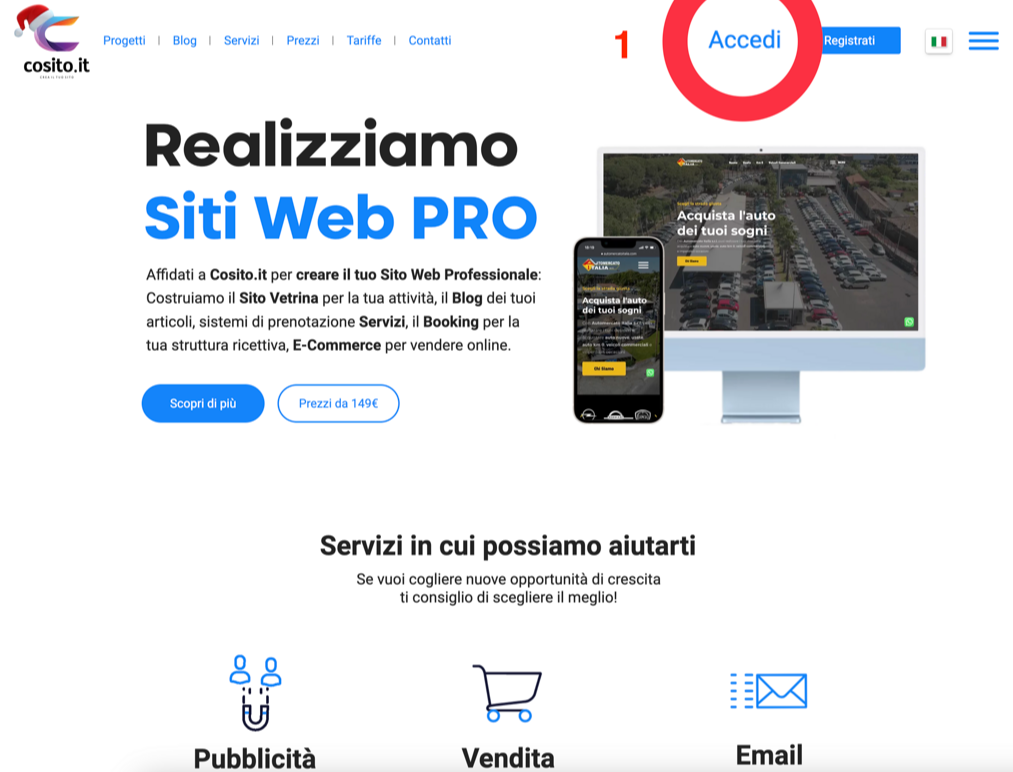
1. From a PC, open the Cosito.it page and click on the " Login " button at the top right
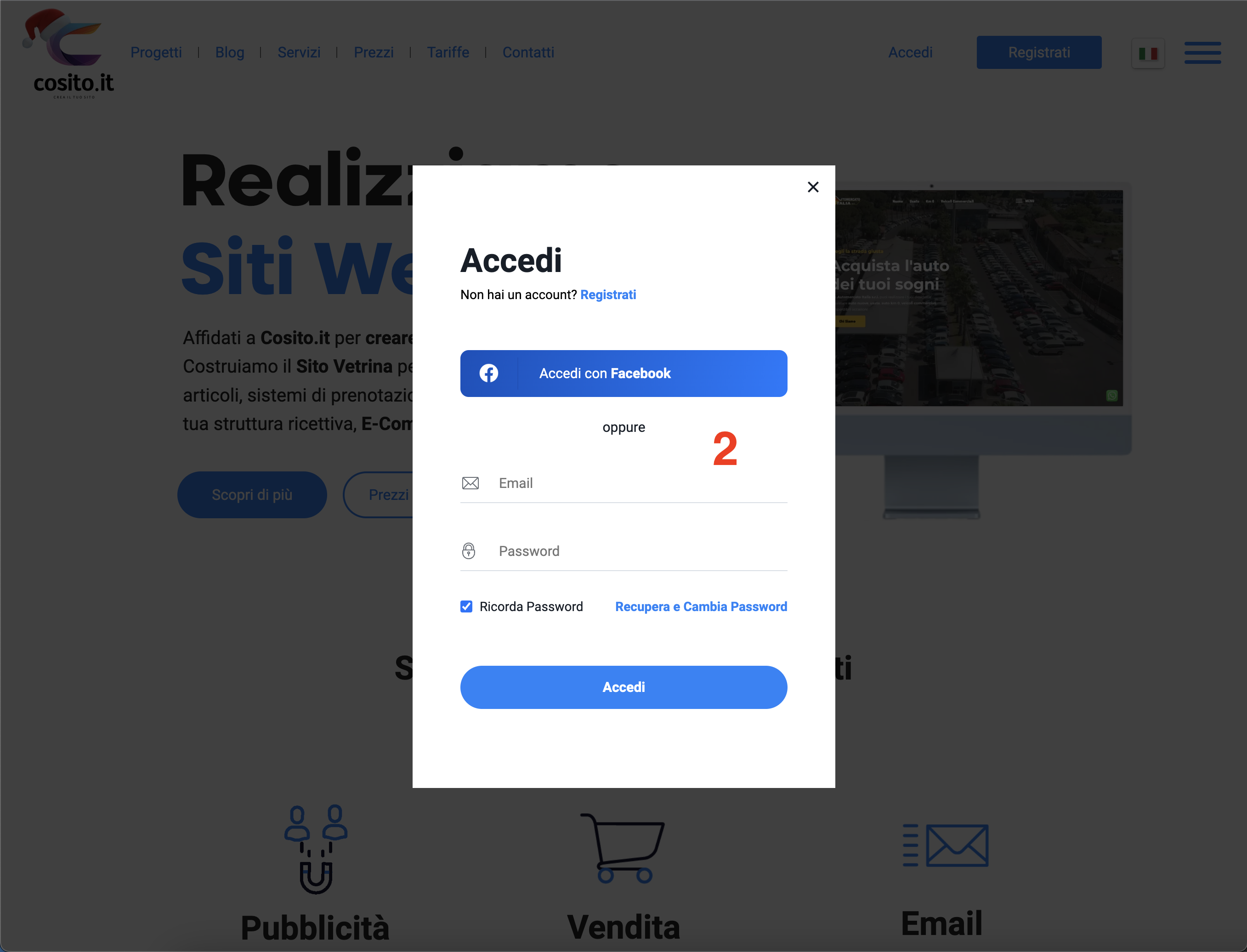
2. Enter the Email and Password to access the Cosito.it Editor provided upon delivery of the site and click on Login . If you don't remember your password, click on Retrieve and Change Password or otherwise contact me

3. Click on the right wheel button " Site management "
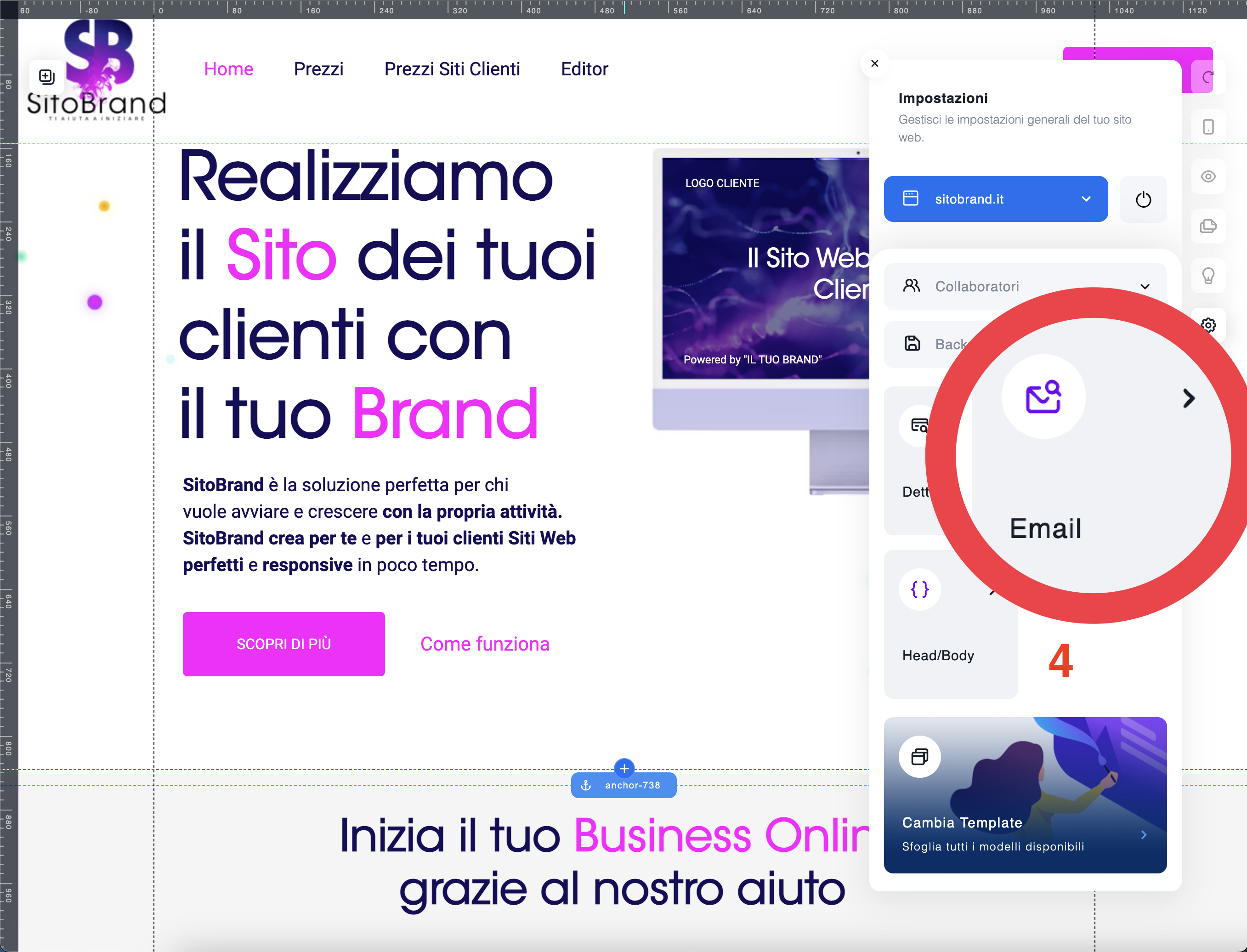
4. Click on the Email panel
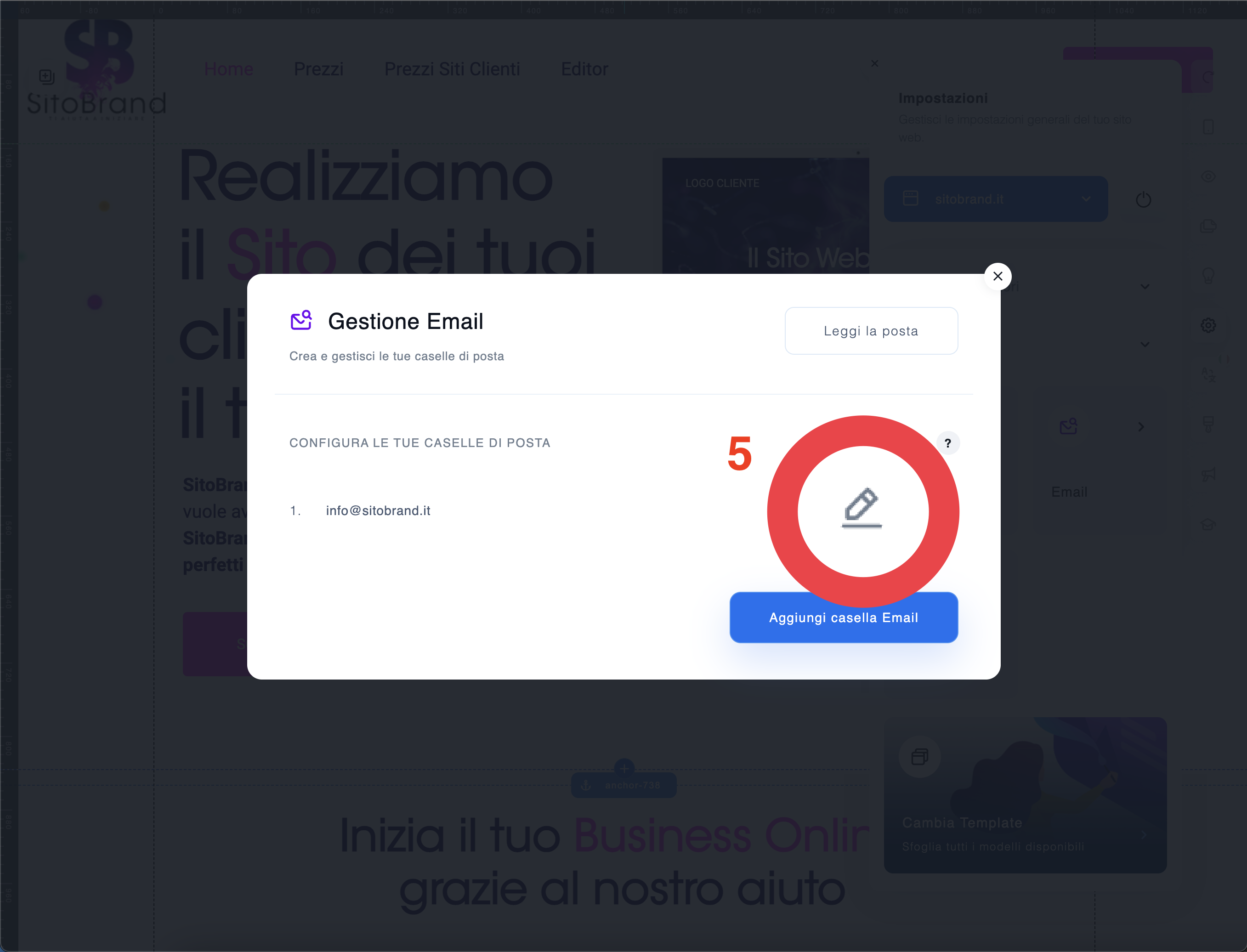
5. Click on the pencil icon
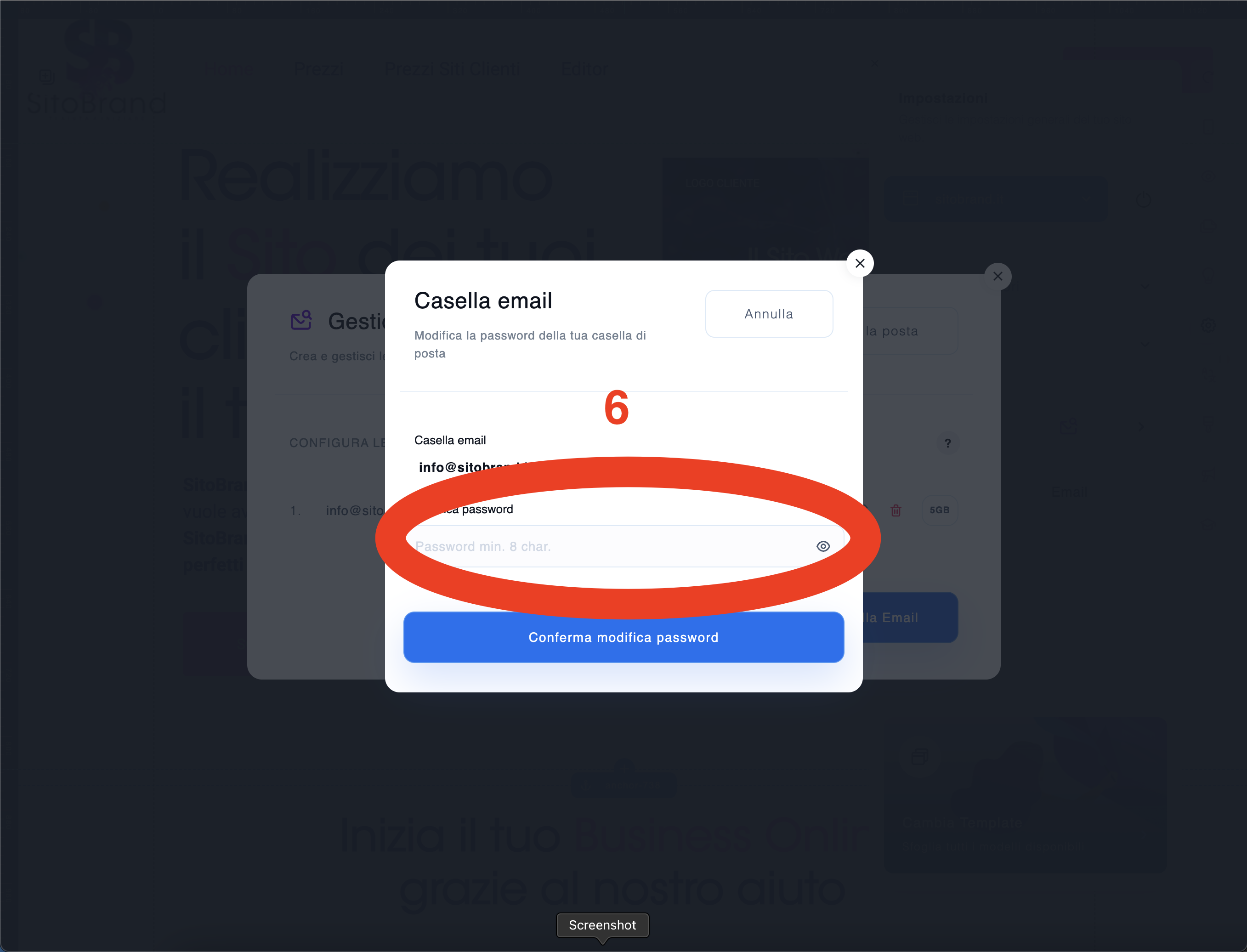
6. Write the new password which must contain at least 8 characters, including at least one uppercase, one lowercase, one special character (for example ? or !) and a number
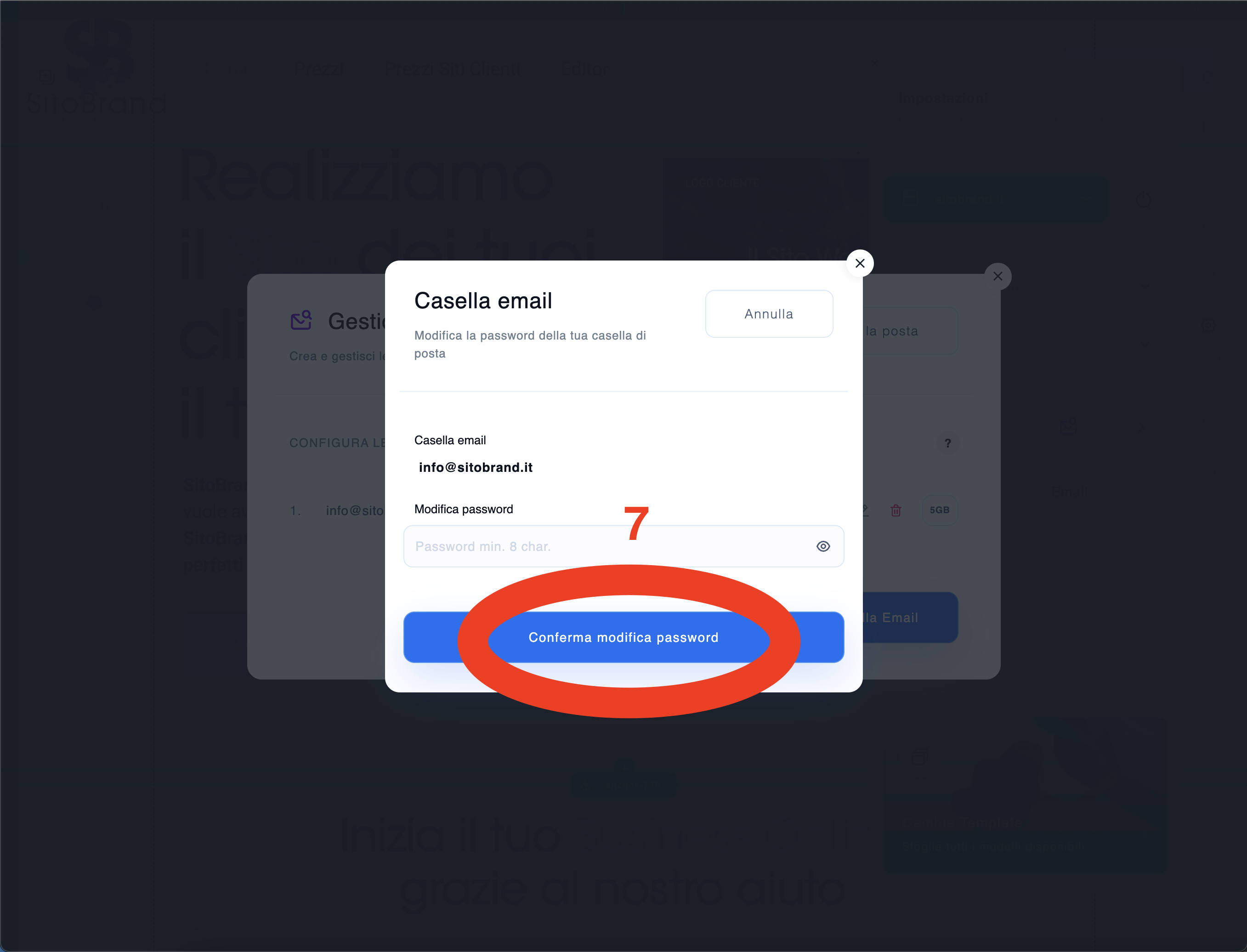
7. Click on the blue button " Confirm password change ". Your password is now updated.
5 Professional emails with your website
Having an email address that matches your company name is the first step in giving your brand visibility and making it easy for your customers to remember. An address like info@yourdomain.it will immediately convey your professionalism to customers.
All our built websites include a free domain, 5 personalized emails, unlimited web space, SSL Certificate, advanced SEO and much more.
Find out how to get all this starting from €149!