


The users who have created the site too web through the Cosito.it platform, must keep the Google Chrome browser updated. For example, if you are uploading a photo to your site from the Cosito.it editor and you do not have the latest version of Google Chrome, it could happen that the your archive window does not open. Google Chrome secure updates protect users' browsing.
To update Google Chrome:
- Open Chrome on your computer.
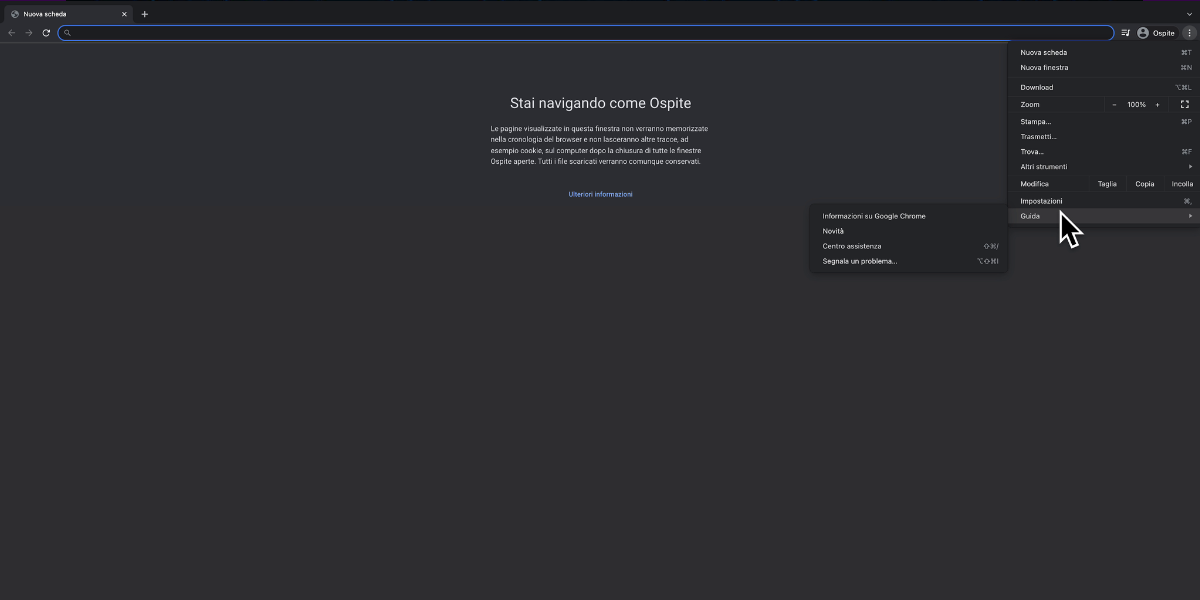
- Click on More (three dots) at the top right.
- Click on Help, About Google Chrome.
- Click Update Google Chrome.
- Important: If you don't find this button, it means you have already installed the latest version.
- Click Restart.
If after this simple procedure, you find still some difficulties on the the changes to be made on your site, let's delete the browsing history of Chrome.
Clear the history:
- Open Chrome on your computer.
- Click on More (three dots) at the top right.
- Click on History, History.
- On the left, click Clear Browsing Data. A window appears.
- Choose Basic or Advanced (we recommend that you uncheck Passwords and other access data here) and select the period of the history to be deleted. To clear all data, select From start.
- Check the boxes for the data you want to clear in Chrome, including the 'Browsing history ' option.
- Click Clear Data
Leave a comment on this article